
TCIS Access Guide ( TCIS is only accessible via Microsoft Edge browser )
- Click the link below and run the file
- Win11_TCIS.reg ( Click Keep if the message ‘File can’t be downloaded securely’ appears ).

- Closed Microsoft Edge after saving the file
2. Open Downloads folder and select Win11TCIS.reg.

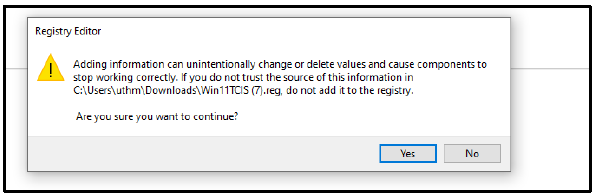
- Click Yes
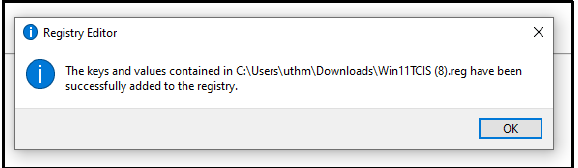
- Click Ok
3. Open web browser Microsoft EDGE “TCIS is only accessible via Microsoft Edge browsers.”
- Type TCIS UTHM in the URL bar

- Clik TCIS Login
- Enter username & Password TCIS

4. If the Appeon Browser prompt appears again, must download and install the Appeon plug-in to proceed. “Skip this step if login is successful.”

5. Type TCIS UTHM again in the URL bar and click Cross Browser Center
6. Another alternative is running this file fix TCIS_WIN11_24H2.zip
OR
7. If you’re still seeing the Appeon prompt, try clearing your Edge browser’s cache and cookies.

8. Open again link TCIS & Type the full address manually in the address bar: http://tcis.uthm.edu.my
If the issue is not resolved, please restart your computer.